



Electronic invoices: what it is and how to create one (0)

Electronic invoices: what it is and how to create one
Create an invoice, save it as a PDF, email it to the customer and forward it to your accountant. It sounds simple – until you have dozens of invoices to handle every month. Those small, repetitive tasks can soon take up a considerable part of your day.
An electronic invoice can help simplify the process. But there is an important difference between a document sent by email and an invoice that accounting software can process automatically.
What is an electronic invoice?
An electronic invoice is an invoice issued and received in an electronic format. For example, Lithuania’s State Tax Inspectorate (VMI) explains that an electronic VAT invoice may be provided as a PDF, Word document or structured file, provided it contains the required information. An electronic invoice does not necessarily have to be a special XML file.
However, the format you choose affects how much work the recipient needs to do.
PDF vs structured e-invoice: what is the difference?
A PDF invoice is primarily designed for people to read. It is easy to open and forward, but entering its details into accounting software often requires manual work or a document digitisation tool.
A structured e-invoice is also designed for software to process. Its data follows an agreed format, allowing a compatible system to read it and transfer the information into the relevant fields.
Imagine receiving an invoice for office supplies. In one case, you copy the invoice number, date, amounts and other details into your accounting software. In the other, the software imports the data, leaving you to check it and add any missing information.
The biggest difference is how often someone needs to enter the same information again.
How do you create an electronic invoice?
A few simple steps can help you set up an efficient invoicing process:
- Choose an invoicing tool. As invoice volumes grow, accounting software helps reduce the need to copy and edit documents repeatedly.
- Enter and check the details. Pay attention to customer information, invoice numbers, dates, products or services, and amounts.
- Agree on the delivery method. Check whether your customer needs a PDF or a structured e-invoice, and which formats their system supports.
- Organise document storage. Make sure invoices are easy to find and access later.
In Lithuania, electronic VAT invoices must contain the required information, and their use requires the buyer’s prior consent. Simply saving a document as a PDF does not replace these requirements.
Simpler invoice management with SimplBooks
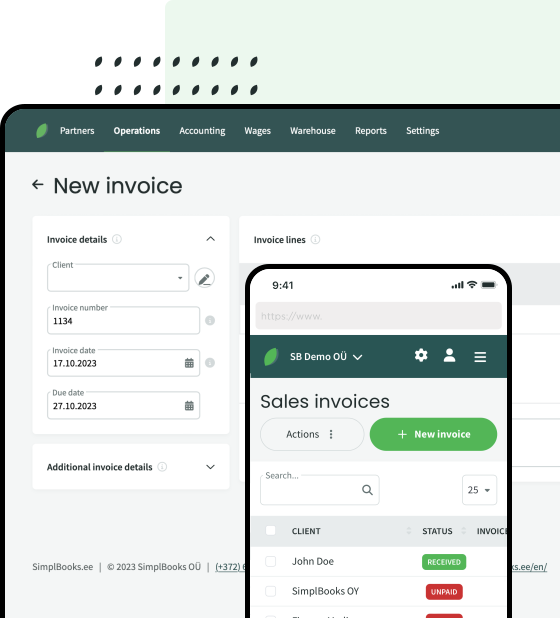
Creating invoices in one place and managing accounting in another adds extra steps. With SimplBooks accounting software, you can create and send sales invoices in PDF and e-invoice formats, as well as import purchase invoices from supported e-invoice files. For recurring invoices, you can also set up scheduled invoicing and automatic sending.
This is particularly useful when you provide services to the same customers every month: fewer repetitive tasks and an easier way to keep invoices organised.
Want to see how it could work for your business? Try SimplBooks free for 30 days.


Leave a Reply