



How to issue an invoice? A simple guide for new businesses (0)

Issuing your first invoice often brings up more questions than you might expect. Do I need to include VAT? Which billing details are mandatory? Can I create the invoice in Excel? Or is accounting software absolutely necessary?
If these questions sound familiar, you are not alone. Many new entrepreneurs issue their first invoice while searching for answers online. In this article, we’ll explain what you need to know to ensure your invoices are issued correctly and without causing headaches for you or your clients.
What is an invoice?
An invoice is an official document issued by a seller to confirm that a service has been provided or goods have been sold, indicating that the buyer must pay for them. Simply put, it is a formal payment document.
Invoices are not just for your clients. They are essential for your own company’s bookkeeping, tracking revenue and calculating taxes.
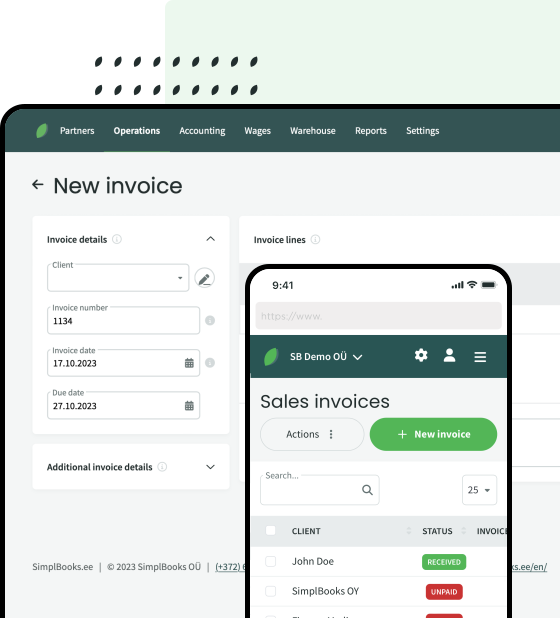
Creating invoices in SimplBooks accounting software is incredibly easy – find out more.
What information must be included on an invoice?
While invoices can look different depending on the business, the core details remain the same.
Typically, an invoice must include:
- invoice number;
- date of issue;
- seller’s name and billing details;
- buyer’s name and billing details;
- description of the goods or services;
- quantity;
- price;
- total amount;
- VAT information (if applicable).
The clearer the invoice, the fewer questions your client will have.
Can I issue an invoice using excel?
Yes. Nothing prevents you from creating an invoice in Excel or Word. However, it is worth considering how much time this will take a few months down the line. You will have to number invoices manually, manage different file versions, track which invoices have been paid, and hunt down old documents.
When you only have a few invoices, this is not a problem. But as your business grows, manual work begins to consume more and more of your time.
Why are more and more companies switching to accounting software?
Imagine two scenarios. In the first, a client asks for a copy of an invoice issued a year ago. You start searching through various folders and emails.
In the second, you open your accounting software, type in the client’s name, and the invoice appears in seconds. It is small efficiencies like this that save you hours of work over time.
In addition, accounting software allows you to:
- automatically number invoices;
- see instantly which invoices are still unpaid;
- keep all documents securely stored in one place;
- easily collaborate with your accountant.
Common invoicing mistakes to avoid
Missing mandatory billing details
Before sending an invoice, always double-check that it includes all the legally required information.
Inconsistent numbering
Invoice numbers must be sequential. Missing or duplicate invoice numbers can raise red flags in your bookkeeping.
Errors in client details
A single typo in a company code or VAT registration number can mean having to void the document and issue a brand-new one. It pays to check these details twice.
Sending invoices too late
The sooner a client receives an invoice, the sooner you are likely to get paid. A simple rule of thumb: don’t delay.
How to issue invoices faster
If you find yourself manually entering the same client details, copying old invoices, and simply updating the dates every single time, you are likely wasting valuable time.
Modern accounting software allows you to save client information, automate numbering, and generate a new document in just a few clicks. If you issue dozens of invoices every month, you will notice the difference very quickly.
Is accounting software worth it just for invoicing?
At first, it might seem unnecessary. However, over time, it becomes clear that the biggest benefit isn’t just generating the invoice itself.
The software allows you to view clients, revenue, payments, and other critical financial data in one central hub.
For instance, SimplBooks not only lets you issue invoices quickly but also tracks payments, handles bookkeeping, and lets you collaborate with your accountant in a single system. This is especially convenient for growing small businesses. And the various SimplBooks packages are affordable even for small business owners.



Leave a Reply