


What is i.SAF and what should businesses know about it? (0)

What is i.SAF and what should businesses know about it?
Submitting VAT invoice registers to the Lithuanian State Tax Inspectorate may sound like another complicated accounting obligation. However, when invoices are recorded correctly and modern accounting software is used, preparing an i.SAF file does not have to become a time-consuming monthly task.
In this article, we explain what i.SAF is, who needs to submit VAT invoice registers, which deadlines apply and how SimplBooks can make the process easier.
What is i.SAF?
i.SAF is a subsystem of i.MAS, the Smart Tax Administration System managed by Lithuania’s State Tax Inspectorate, known as the VMI. It is used for the electronic submission of data from issued and received VAT invoice registers.
In simple terms, i.SAF enables the VMI to receive structured information about a business’s sales and purchase invoices. Instead of using paper registers or submitting information in different formats, businesses provide the data in a standardised electronic format.
The i.SAF system helps to:
- standardise the submission of VAT invoice registers;
- reduce the amount of information processed manually;
- identify discrepancies between data submitted by different businesses;
- improve the accuracy and transparency of VAT accounting.
It is important not to confuse i.SAF with the FR0600 VAT return. The i.SAF file contains invoice register data, while the FR0600 return presents summarised VAT amounts. The two are related, so businesses should check that the information is consistent before submitting either report.
Who must submit i.SAF registers?
i.SAF invoice registers must be submitted by VAT payers to whom this obligation applies under Lithuanian tax rules.
According to the VMI, legal entities generally submit data from their issued and received VAT invoice registers for each calendar month. Individuals submit the data according to the VAT period assigned to them.
VAT payers applying the Lithuanian small business scheme are not required to submit i.SAF registers. As the exact obligations may depend on the taxpayer’s status and the transactions performed, businesses should consult the official VMI guidance or their accountant when in doubt.
What is the i.SAF submission deadline?
According to the VMI, legal entities must generally submit their i.SAF register data for a calendar month by the 20th day of the following month.
For example, the registers for invoices issued and received in January must be submitted by 20 February.
For individuals, the deadline depends on the assigned VAT period:
- if the VAT period is a calendar month, the data must be submitted by the 20th day of the following month;
- if the VAT period is a calendar half-year, the data must be submitted by the 20th day of the first month following that half-year.
Tax rules may change, so it is always sensible to verify the latest deadlines and requirements on the VMI website.
How is i.SAF data submitted?
i.SAF data is submitted through the VMI’s i.MAS system. If a business has very few invoices, their details can be entered manually. As the number of invoices grows, however, manual entry becomes both time-consuming and more vulnerable to human error.
A more efficient option is to create an i.SAF file in accounting software and upload it to the VMI system. This removes the need to enter every invoice for a second time.
Automated file creation does not mean that the report should be submitted without review. Before exporting the file, check that:
-
- the correct reporting period has been selected;
- all relevant invoices have been included;
- there are no duplicate documents;
- customer and supplier details are correct;
- the appropriate VAT classes have been assigned;
- credit invoices have been recorded correctly;
- the i.SAF data is consistent with the VAT records and the FR0600 return.
Common i.SAF mistakes
Many i.SAF errors are created before the file is exported, while invoices are being recorded. Accurate source data makes the final reporting process significantly easier.
Selecting an incorrect VAT code – a VAT classification code determines how a transaction is treated for VAT purposes. If the wrong code is selected, the invoice may be reported incorrectly or excluded from the i.SAF register.
Missing or inaccurate business partner details – the customer’s or supplier’s company number, VAT identification number and legal name should all be checked. Even a small error can create a mismatch between the information submitted by the seller and the buyer.
Including an invoice in the wrong period – the invoice date and transaction date do not always match. It is therefore important to understand which date is used to include the document in a particular reporting period.
Missing invoices received late – if a purchase invoice is recorded only after the register has already been submitted, the previously submitted information may need to be corrected. Collecting and recording documents regularly helps to avoid this situation.
Differences between i.SAF and the VAT return – the i.SAF register and the FR0600 VAT return are not the same report, but their data is connected. Large or unexplained differences may indicate that an invoice is missing, included in the wrong period or recorded using an incorrect VAT class.
How can you prepare an i.SAF file with SimplBooks?
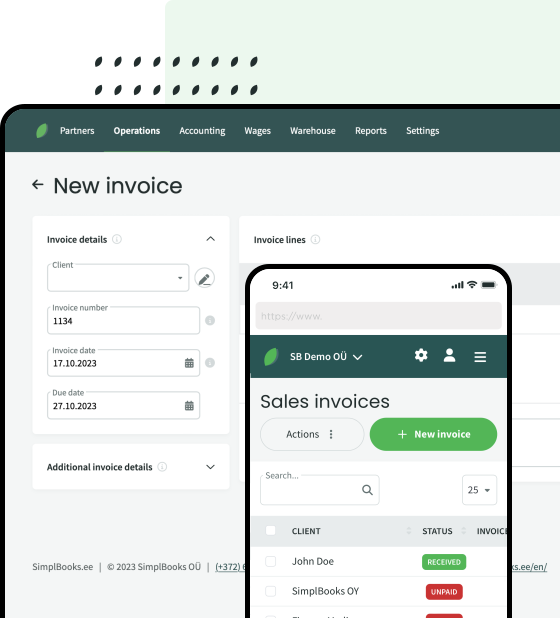
When using SimplBooks, businesses do not have to collect i.SAF data in a separate spreadsheet or enter it again manually. If sales and purchase invoices have been recorded correctly, the software can create an i.SAF file using the accounting data already available.
In SimplBooks, open: Accounting → VAT report
After selecting the required period, choose: Actions → Export report → i.SAF data
The exported file can then be uploaded to the VMI system. Before exporting it, you can review the invoices included in the report and deselect documents that should not be reported.
Whether an invoice is included in the i.SAF register depends on the VAT class assigned to it. The VAT classes needed for the most common transactions are already configured in SimplBooks. Additional classes can be created when required by the specific activities of the business.
Detailed instructions are available in the SimplBooks knowledge base:
Accurate accounting makes more than i.SAF reporting easier
Submitting i.SAF registers is only one part of monthly accounting. When sales invoices, purchase documents, business partner details and VAT classes are managed in one system, it becomes easier to prepare tax reports and understand the company’s financial position.
SimplBooks allows businesses to record sales and purchase invoices, monitor payments, manage VAT accounting and prepare a range of financial reports. More information is available on the Reports and reporting page.
Summary
i.SAF is an electronic VMI subsystem used for submitting data from issued and received VAT invoice registers. Although the reporting obligation may initially appear complicated, much of the work becomes easier when invoices are recorded correctly in one accounting system from the beginning.
The most important steps are to:
-
-
-
- record invoices on time;
- use the correct VAT classes;
- verify customer and supplier information;
- compare i.SAF data with VAT accounting records;
- submit the registers by the applicable deadline.
-
-
Would you like a simpler way to manage invoices and prepare i.SAF reports? You can try SimplBooks free for 30 days. Visit the SimplBooks pricing page to learn more about the available plans and features.



Leave a Reply