


Excel or accounting software? (0)

Excel or accounting software? When is it time for a change?
When starting a business, Excel often seems perfectly sufficient. It is familiar, simple, and requires no extra investment. A few clients, a few invoices a month, and a single spreadsheet – everything feels under control. But business rarely stays the same.
The number of clients grows, invoices pile up, VAT enters the picture, payments need tracking, old documents need finding, and a question arises more and more often: is it time to switch to accounting software?
The short answer: if you have started thinking about it, chances are, yes.
Let’s look at how Excel and accounting software actually differ.
When is excel still a good choice?
Let’s be honest – Excel is not a bad tool. If you are just starting out and issue only a few invoices a month, it can do the job perfectly.
Excel works well if you:
- issue up to 10–15 invoices per month
- have no employees
- are not registered for VAT
- do not need complex financial reports
- bookkeeping takes up very little of your time.
In this case, there is no reason to rush. However, situations change very quickly.
When does excel start getting in the way?
There is one simple sign. If you find yourself saying, “Wait, I need to check another file,” more and more often, it means your processes are getting more complex.
Usually, the first warning signs look like this:
- it is no longer clear which invoices have been paid;
- multiple Excel spreadsheets start piling up;
- you have to search for documents in your email;
- formula errors happen more and more frequently;
- at the end of the month, bookkeeping takes half a day or more.
This means the problem is no longer Excel. The problem is that the business has outgrown it.
The biggest difference isn’t features, it’s time!
Many people compare features. But the most important difference is something else entirely: time.
Imagine you issue 80 invoices every month. If you spend just two extra minutes on each, that adds up to more than two and a half hours a month. Over a year, that is more than 30 hours – almost four full working days.
And that’s just invoicing.
Add in checking payments, searching for documents, and preparing reports, and the difference becomes even greater.
Excel vs accounting software: a comparison
| Excel | Accounting Software |
| Lots of manual work | Many automated processes |
| Must build your own spreadsheets | Data is provided automatically |
| Hard to track payments | Payment status is visible instantly |
| Higher chance of errors | Fewer manual actions |
| Limited reporting | Financial reports are generated automatically |
| Documents scattered in different places | All information in a single system |
It is important to understand that accounting software is not just an Excel replacement. It fundamentally changes the entire workflow.
What about the price?
This is one of the most common arguments: “But Excel doesn’t cost anything.” At first glance, that is true.
However, Excel costs time. If you spend an extra hour on bookkeeping every week, that adds up to more than 50 hours a year. Think about what you could accomplish in your business during that time.
Sometimes the cheapest solution ends up being the most expensive one in the long run. SimplBooks accounting software offers various packages at different price points.
Does accounting software mean more complexity?
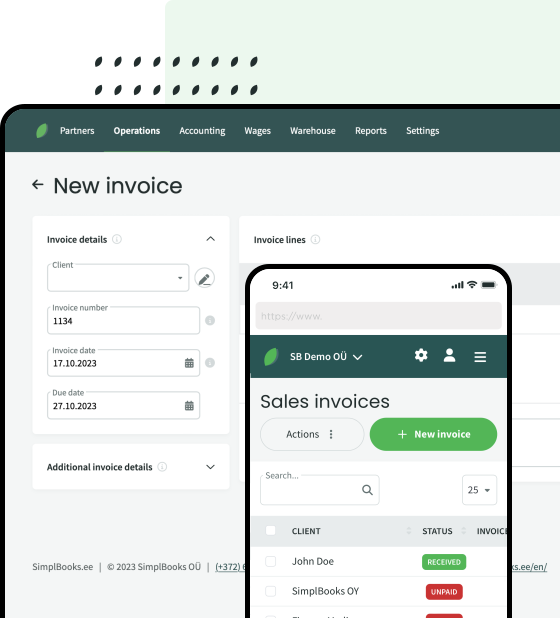
On the contrary. Many modern systems are designed to be used not only by professional accountants but also by business owners. The goal is not to add as many buttons as possible; the goal is to help you get daily tasks done faster. That’s why you should definitely try out the software before choosing it. For example, SimplBooks software offers a demo version that can be found in the website’s footer.
If you feel lost within the first ten minutes, you should probably look for another solution.
What can accounting software provide that excel can’t?
In addition to basic accounting features, many modern systems offer extra capabilities. For example:
- sending and receiving e-invoices
- bank integrations
- automatic payment tracking
- real-time financial reports
- collaboration with your accountant in a single system
Some programs, such as SimplBooks, also offer AI-driven features. These can help you find information faster, answer questions about company finances, or explain accounting processes. This is especially useful for small business owners who do not always have a background in accounting.
How to know it’s time to switch to accounting software?
Ask yourself these questions:
- Do I issue more than 20–30 invoices per month?
- Do I often search for documents across different files?
- Do I want to see my company’s finances more clearly?
- Do I collaborate with an accountant?
- Are administrative tasks taking up more and more time?
If you answered “yes” to at least a few of these questions, accounting software will likely help you work more efficiently.
Excel is a great helper at the start of a business. But as your business grows, it is important that your tools grow along with it.
Accounting software does more than just issue invoices. It helps you better understand your business finances, reduces manual workload, and frees up time for what really matters – your clients and business growth.
If you are wondering whether it is time to switch to accounting software, the best way to evaluate is to try out one of the modern cloud solutions. In practice, you will quickly see how much time can be saved.
You can explore the features of SimplBooks accounting software here.



Leave a Reply