



Best accounting software for small businesses (0)

Best accounting software for small businesses
When a company is still small, a few Excel spreadsheets, a separate folder for invoices and a good memory may seem like enough to manage the accounts. For a while, this approach can even work. But as the business grows, so does the number of customers, documents, payments and deadlines. Accounting begins to take more time, and one unnoticed mistake can cost much more than the right software.
So, what is the best accounting software for small businesses? There is no single answer that suits every company. The best solution is the one that fits your business, makes everyday work easier and does not overwhelm you with features you will never use.
Let us look at the most important things to consider when choosing accounting software for a small business.
Good accounting software should save time
In a small company, the same person often looks after sales, customers, invoices and a dozen other tasks. Accounting software should not become one more job on the list. It should remove work from that list.
A practical solution lets you create an invoice quickly, see which payments are overdue, record expenses and find the information you need without a lengthy search. It is even better when recurring tasks can be automated.
When comparing different options, ask yourself one question: will this system genuinely make my daily work faster? If a simple task requires searching through instructions, opening multiple windows or entering the same information several times, the software is likely to become frustrating over time.
Ease of use matters more than the number of features
A long list of features may look impressive, but a small business does not necessarily need the most complicated solution on the market. It is far more important that the functions you use most often are clear and easy to find.
Before making a decision, test how the software handles the essentials:
- How do you create and send a sales invoice?
- How do you enter a purchase invoice or another expense?
- Can you easily see which invoices have been paid?
- Can you quickly find older documents?
- Is the financial information presented clearly?
If these tasks feel intuitive, that is a good sign. Accounting software should make sense not only to an accountant but also to the person running the business.
All the essential tools in one place
In the beginning, a business may only need an invoicing tool. Over time, purchase documents, expense tracking, reports, payroll, inventory or closer collaboration with an accountant may become important.
It is therefore worth choosing software that can grow with your business. This does not mean you need to use every feature from day one. It simply means that when your needs change, you will not have to move part of your work to another system.
Useful features to look for include:
- sales and purchase invoice management;
- income and expense tracking;
- clear financial reports;
- bank transaction processing;
- payroll if you have employees;
- inventory management if you sell products;
- access for your accountant or other team members.
Keeping information in one system reduces duplicate data and the risk of errors. It also makes it much easier to understand the true financial position of the company.
Automation that reduces manual work
One of the biggest advantages of modern accounting software is its ability to automate repetitive tasks. The less information you have to copy by hand, the more time you can spend on customers and business development.
Depending on the software, you may be able to automate invoice delivery, payment matching, document entry, customer reminders or recurring invoices. Integrations with banks, electronic invoice operators, online stores and other business tools can also make a significant difference.
Do not think only about what you need today. Consider which tasks you still complete manually and which of them you would like to automate in the near future.
Clear pricing without unexpected extra costs
Price matters to a small business, but the cheapest accounting software is not always the most economical choice. If a system requires a lot of manual work, makes you buy missing features separately or regularly seek outside help, its true cost may be much higher.
When comparing plans, check what the monthly price includes. Are there limits on documents, users or features? Do updates, customer support or integrations cost extra? Can you change your plan as the company grows?
Look beyond the monthly fee and consider how much time the software could save you.
Support when you really need it
Questions can arise even when the software is simple. This is why good customer support matters just as much as the available features.
Check whether the provider offers a clear knowledge base, practical guides and a support team you can contact. It is also important that help is available in a language you understand. When you need to send an invoice quickly or prepare an important report, waiting too long for an answer can become a real problem.
Security and access from anywhere
Accounting software contains sensitive company information, so security should never be treated as an optional extra. A reliable solution should be updated regularly, protect your data and let you manage user permissions.
Cloud based accounting software also gives you access from the office, home or while travelling. Your information is not tied to one computer, and both the business owner and the accountant can work with the same up to date data.
Always test the software before choosing
A product description can sound excellent, but the real experience only becomes clear when you use the software yourself. If a free trial is available, create a few invoices, enter some expenses, open the reports and invite your accountant to take a look.
While testing the software, ask yourself:
- Can I easily find the functions I need?
- Can I complete everyday tasks faster than before?
- Do I have a clear view of the company’s finances?
- Will this software still suit the business a year from now?
- Will I know where to get help if I need it?
If the answer to these questions is yes, you have probably found a solution that fits your business.
So, what is the best accounting software for small businesses?
The best accounting software for small businesses is not necessarily the product with the longest feature list or the lowest price. It is the one that is easy to understand, saves time, provides clear financial information and adapts as the business grows.
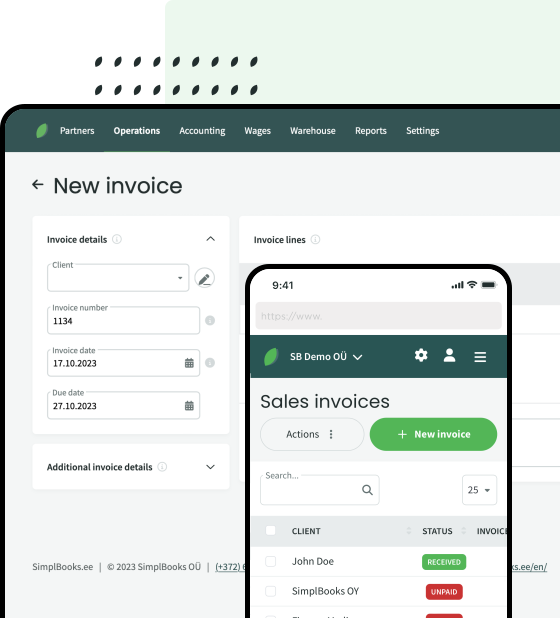
SimplBooks is designed to make everyday accounting easier for both business owners and accountants. It brings invoices, purchases, expenses and other important financial information together in one system. You can try SimplBooks free for 30 days and decide for yourself whether it is the right fit for your business.


Leave a Reply